Announcements

  1. Just Launched: Klipy Personal Assistant (Beta v1)
    Feature

    image

    What's New:

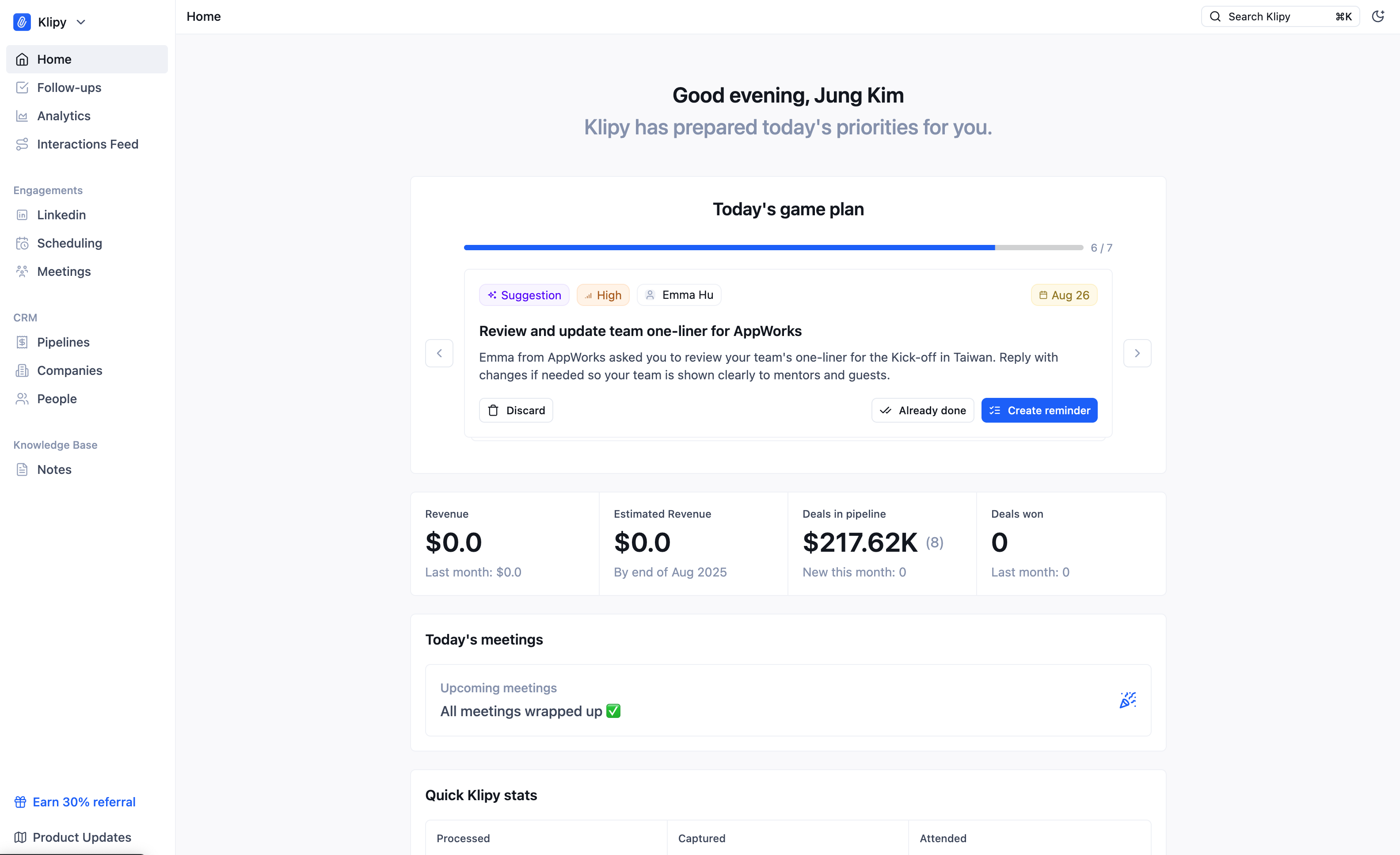
    You can now see Klipy actively suggesting next step actions from ongoing conversations. This is our first version of transforming Klipy into an AI Executive Secretary system.

    Key Benefits:

    • Centralized suggestions: You no longer need to check each and every interaction to figure out what followup tasks to create. You can see them in the Home Page.
    • Fully-managed suggestions: Old suggestions or tasks will be removed by Klipy automatically based on ongoing conversations. For example, if Klipy suggested to "send invoice" and you send an email saying "Please find attached invoice for your perusal", Klipy will automatically remove the suggestion since the task is already completed.
    • "Remind me later": You can quickly move the due date from the Home Page if you think the follow-up task can be handled a little more down the road.
    • "Urgency": We've added urgency field to the tasks and suggestions - Today's game plan will also be sorted based on urgency.

    How It Works:

    We've revamped the AI workflows behind Klipy to analyze the ongoing conversations more in depth. Also, Klipy now remembers a live list of "suggestions" for every user, so that we can work in a flow such as:

    1. Analyze message
    2. Check if there are any follow-up tasks to create
    3. Check if there are any tasks to update (either due date changed, details changed, or task is already done!)

    This way we can always try to keep the tasks short and concise.

    Coming Soon:

    • Pre-meeting research
    • Daily Debrief
    • Meeting no-show follow-up
    20

    Personal Assistant Agent

    Upgrade of our Mailroom Agent - think of this as your personal executive assistant within Klipy. It'll help organize your incoming messages, pull out the important details, suggest what to do next, and even prepare draft responses. Ask the PA questions about ongoing conversation, suggestions on priority.

    Jung Kim
    Shipped

    1

    2

  2. Just Launched: Multi-Pipeline v1

    Feature
    image (8)

    What's New:

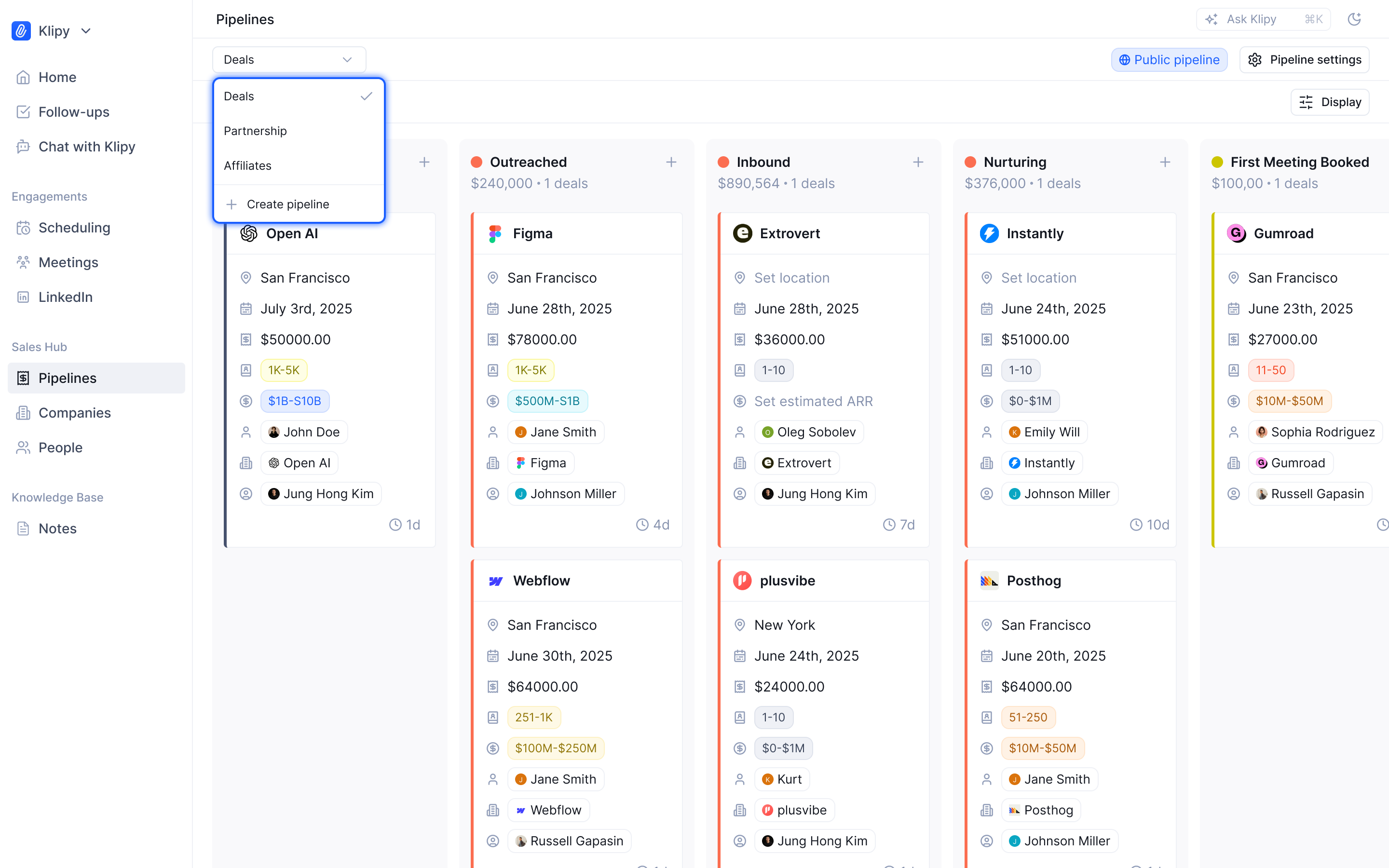
    Multi-pipeline functionality that lets you organize different deal types without the mess. Perfect for agencies juggling partnerships + client work, or SaaS founders tracking enterprise sales alongside channel partnerships.

    Key Benefits:

    • Deal Type Separation: Create dedicated pipelines for partnerships, consulting contracts, software licenses - whatever your business runs on
    • Privacy Controls: Private pipelines keep sensitive deals visible only to you and admins (no more awkward internal competition)
    • Unified View: Access all deal types from company/contact pages - no more pipeline-hopping to get the full picture
    • Homepage Intelligence: See active deals for any contact directly in your interaction feed + create deals on-the-spot

    How It Works:

    Each pipeline uses our proven 3-stage framework (Opportunity → Closed Won → Closed Lost) to ensure our upcoming AI Pipeline Agent can deliver automated qualification and deal analysis across all your deal types.

    Coming Soon:

    • Pipeline analytics and key metrics
    • AI-powered deal detection and movement suggestions
    • Automated qualification scorecards per pipeline type (BANT first, then more!)

    7

    Multi-Pipeline & Deals v2

    Ability to create multiple pipelines with: Pipeline owner & option to make pipeline & deals inside the pipeline private.Increased customization on pipeline stagesMore deal metrics & fields for velocity calculationPipeline automation(Potentially) Pipeline agent -

    Jung Kim
    Shipped

    1

    3

  3. Just Launched: Linkedin Inbox

    Feature

    image

    Email ✓ Meetings ✓ LinkedIn ✓

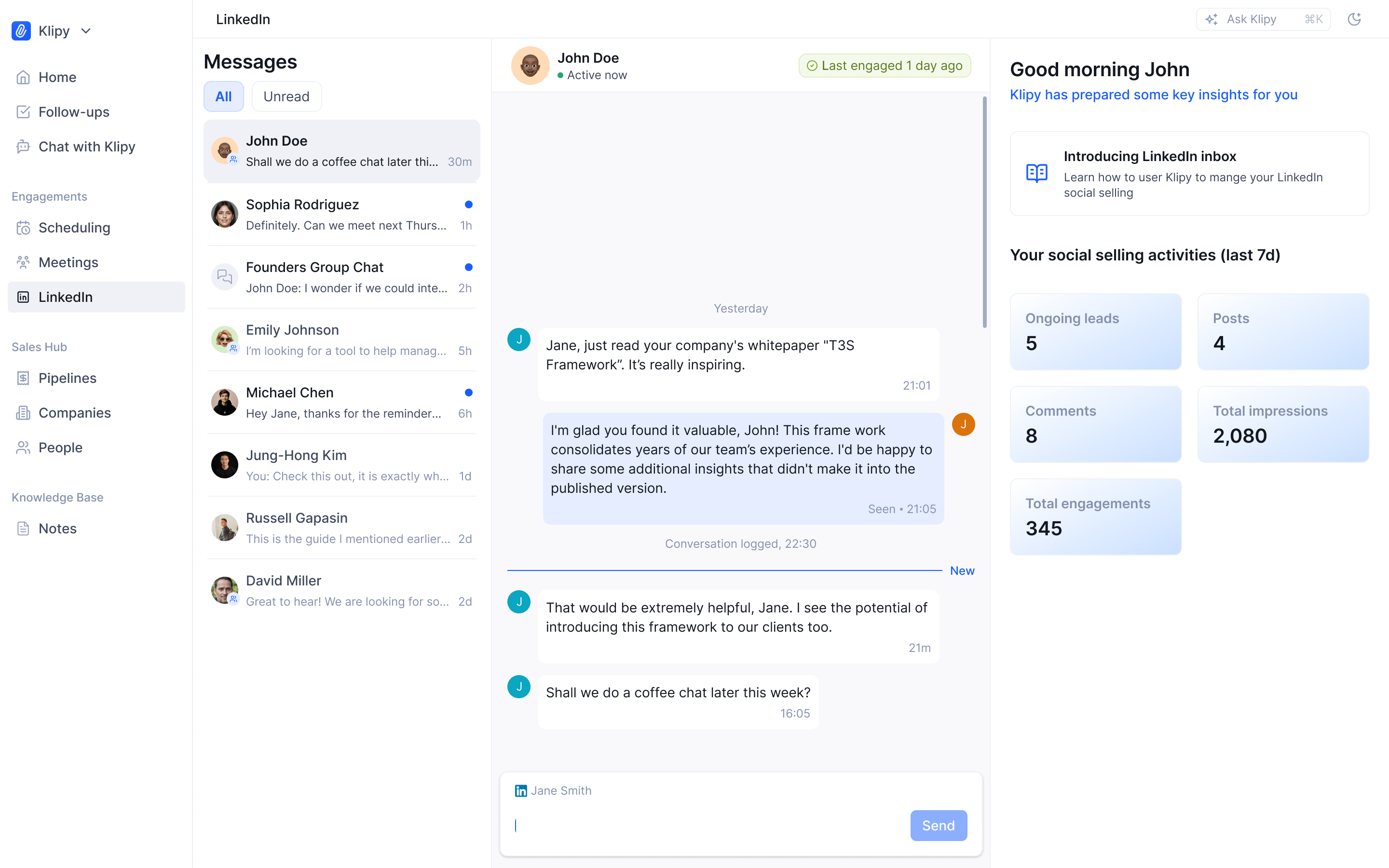
    Klipy's new LinkedIn Inbox brings your entire prospecting workflow into one unified platform. No more context-switching between LinkedIn and your CRM—everything happens in one place.

    What's New:

    • Native LinkedIn Messaging: Send and receive DMs directly from Klipy with real-time sync
    • One-Click Contact Creation: Convert LinkedIn profiles to CRM contacts instantly
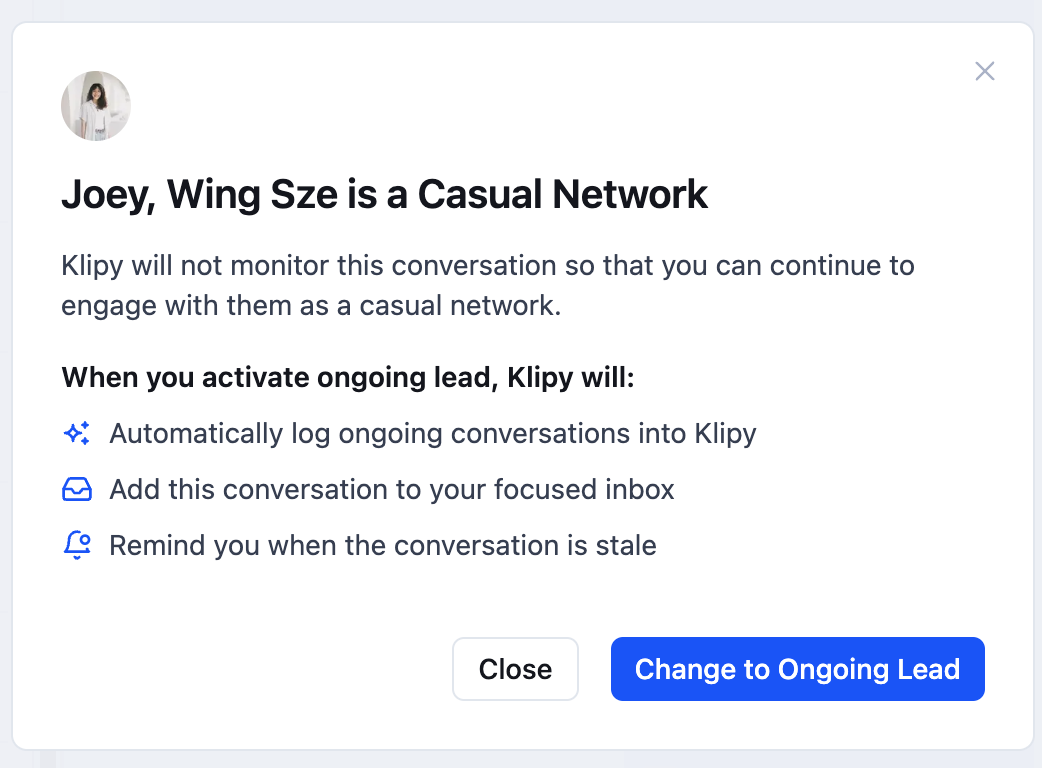
    • Smart Lead Monitoring: Choose which conversations to auto-track with "Ongoing Lead" status
    • Privacy-First Approach: "Casual Network" status keeps personal conversations private
    • Quick Actions: Create memos and tasks without leaving the conversation
    • Social Selling Metrics: Track your 7-day LinkedIn performance (posts, comments, impressions, engagements)

    image

    How to start:

    We prepared much more comprehensive help center guide for this release here:

    https://support.klipycrm.com/en/articles/11476037-linkedin-inbox-overview

    14

    Linkedin DM Integration

    Idea: Integrate Linkedin into Klipy to: connect Klipy Personal Assistant Agent to Linkedin conversations receive and send Linkedin messages directly from Klipy

    Jung Kim
    Shipped

    2

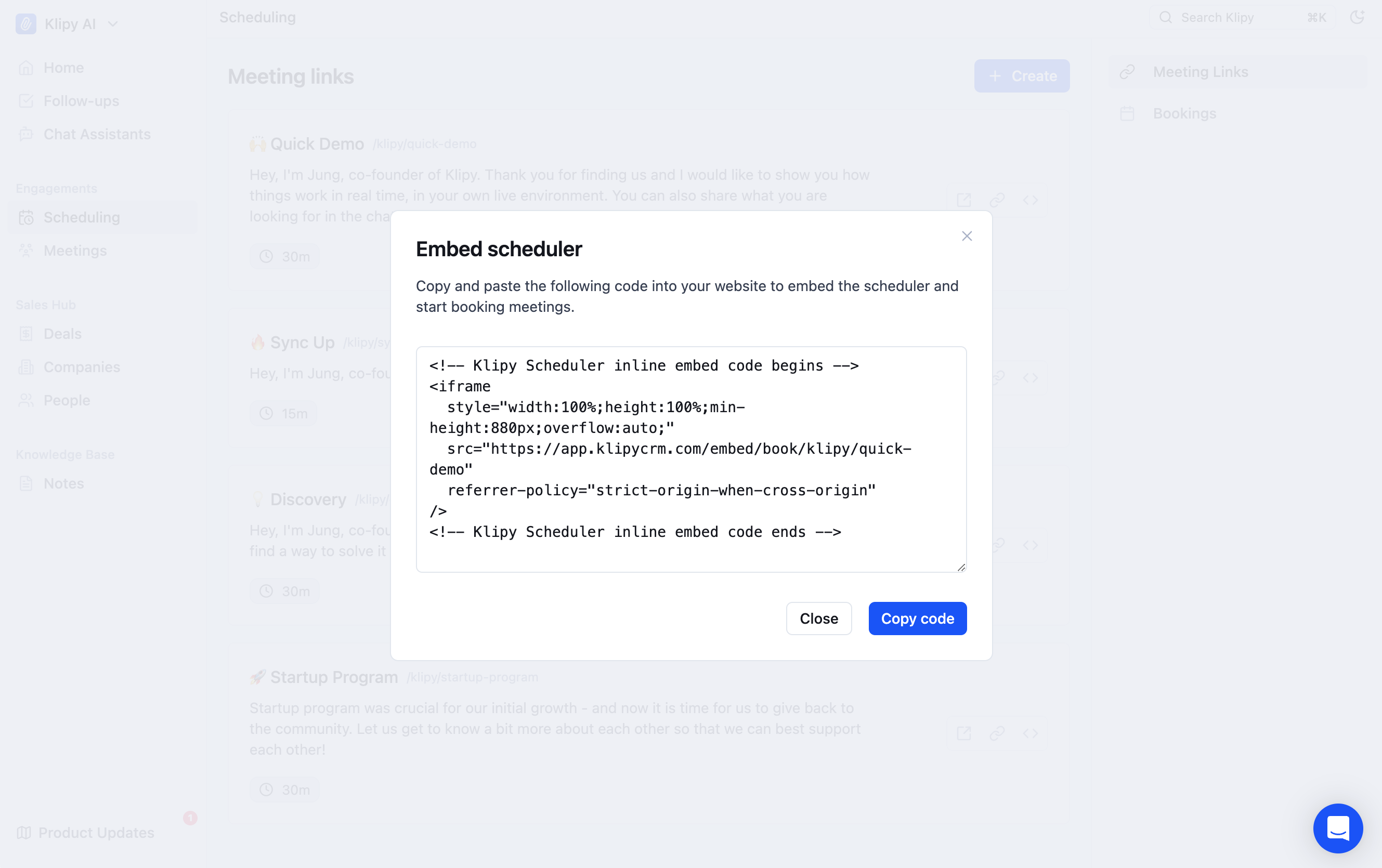
  4. Just Launched: Embed Scheduler

    Feature

    image

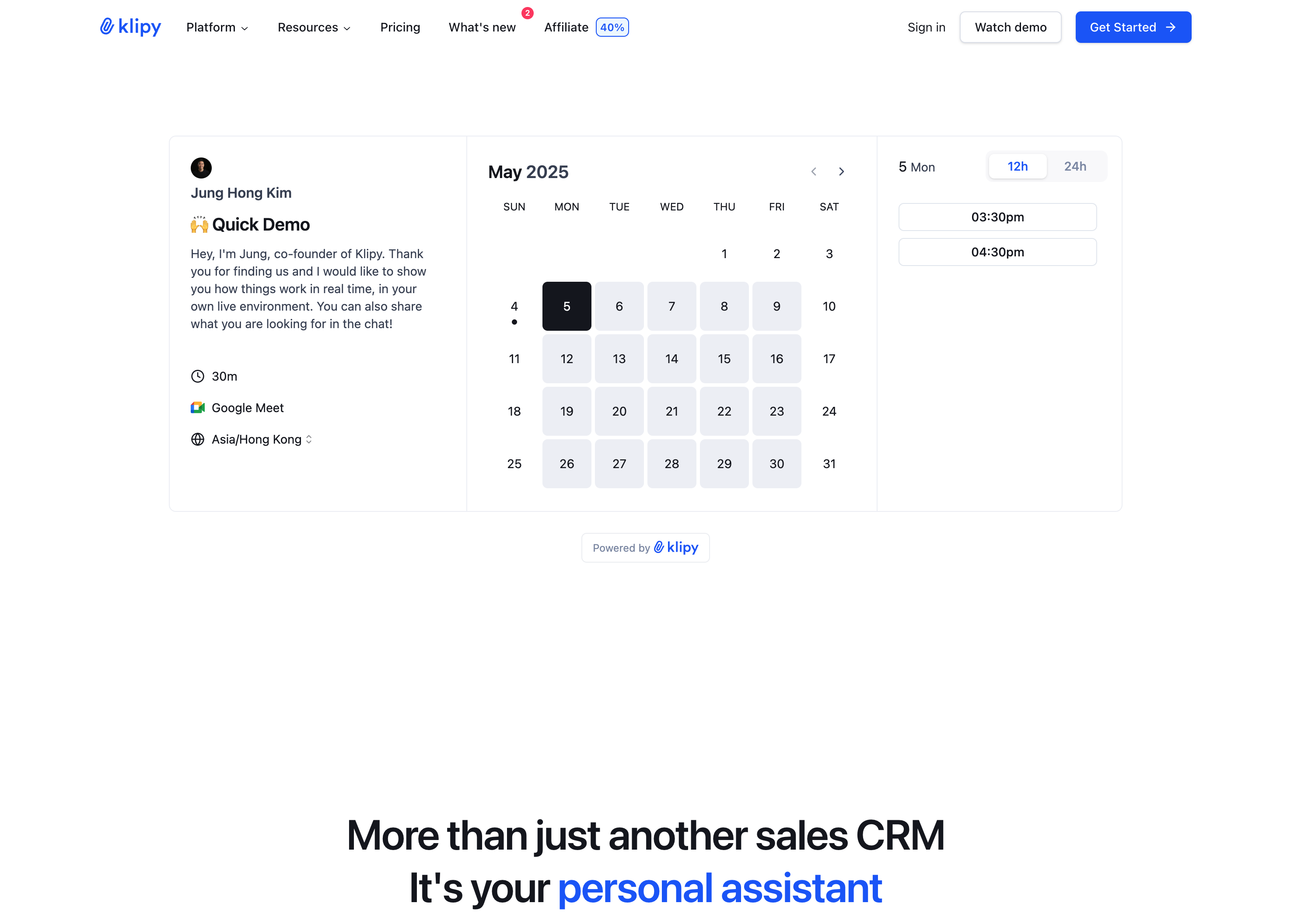
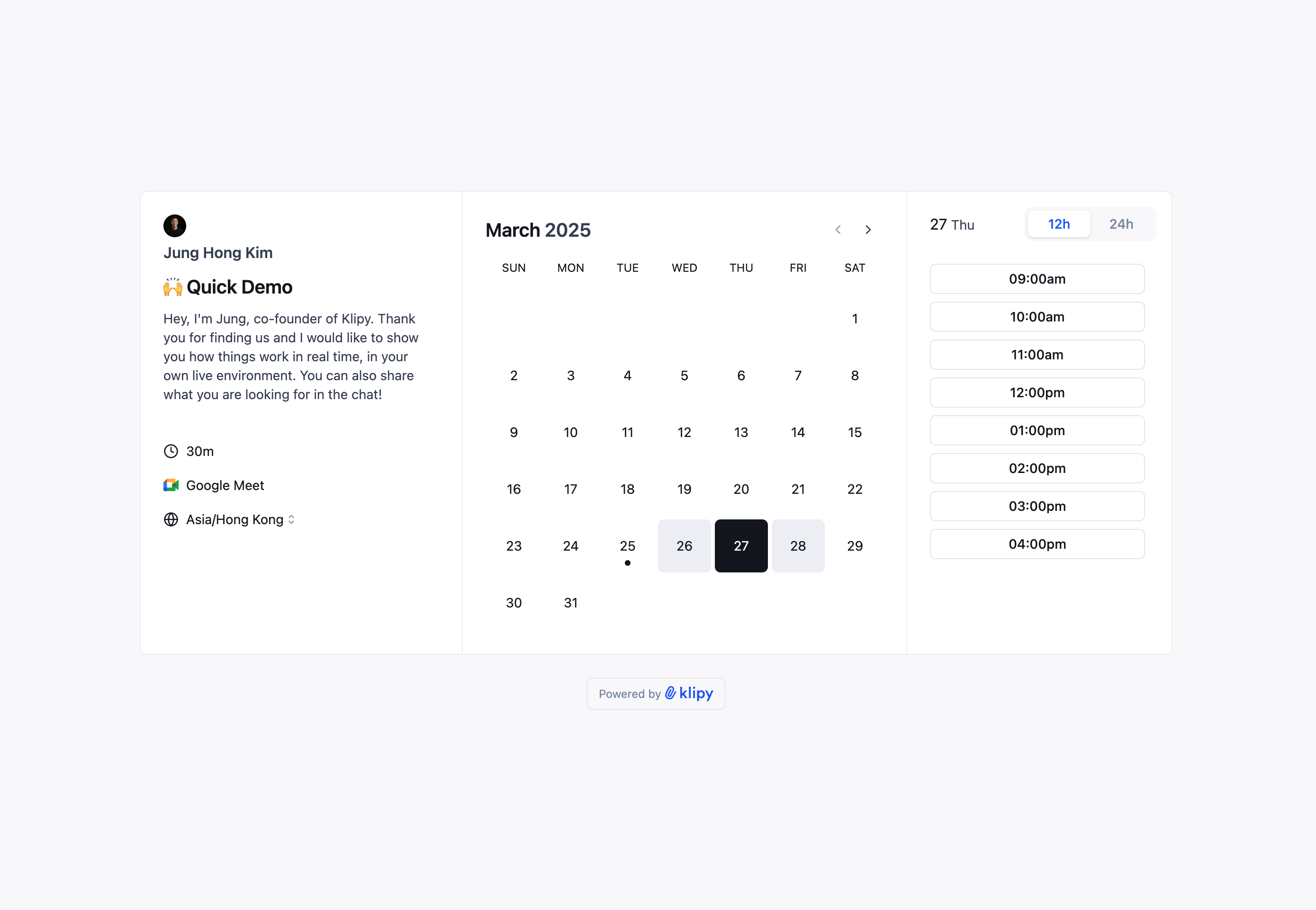
    You can now seamlessly integrate your Klipy Scheduler booking page directly into your website, making it easier than ever for visitors to schedule meetings with you.

    Perfect for enhancing your "Contact Us" page or "Demo Request" sections, this embedded scheduling form helps streamline the booking process and drives higher conversion rates.

    image

    How to use it:

    Simply visit your Scheduler page, select the meeting link you want to embed, and copy the automatically generated code to your website.

    Don't want to handle the technical aspects? Just share the iframe code with your IT team, and they can implement it for you.

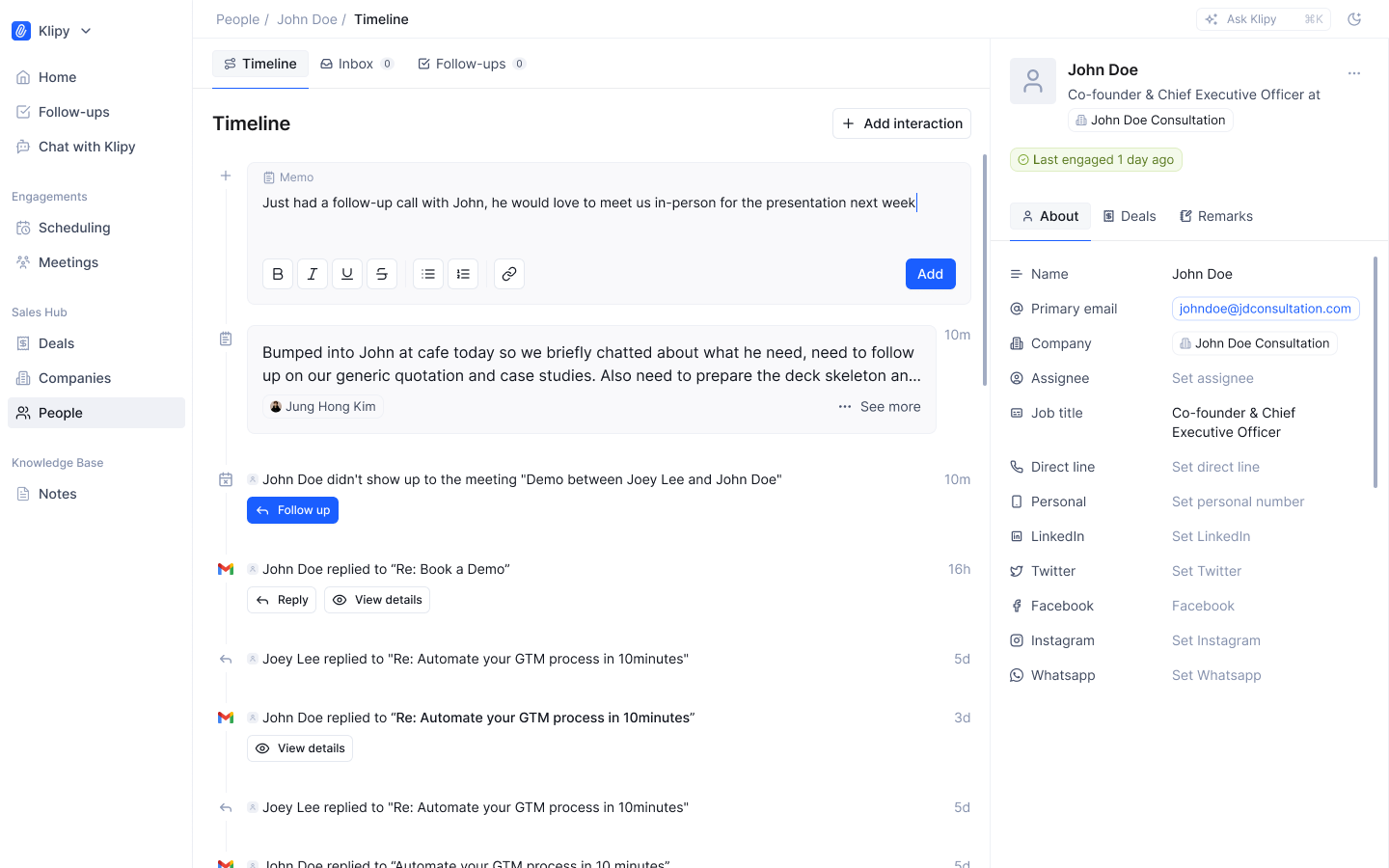
  5. Just Launched: Timeline Memos

    Feature

    1440+ (1)

    You can now add memos directly to contact timelines, making it easier to store and track important details about your contacts in one convenient place.

    This update is part of our broader notes system upgrade, with more comprehensive improvements (Notes v2) coming soon.

    Access timeline memos directly from any Person record timeline - no extra steps required.

    Bonus: These memos will integrate with our upcoming AI Personal Assistant, enhancing the Q&A capabilities when that feature launches.

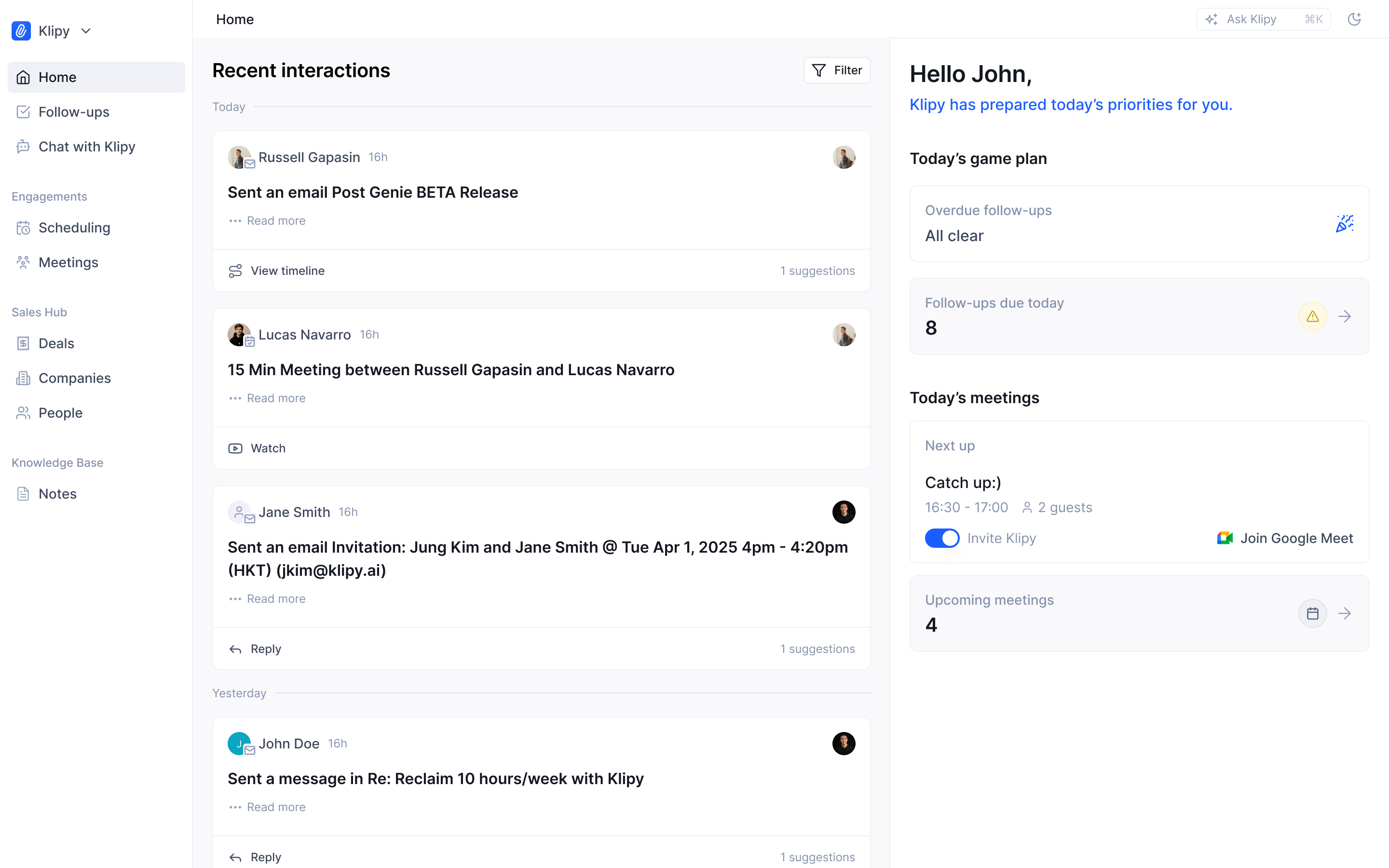
  6. Just Launched: Homepage v2

    Feature

    image (1)

    Homepage v2 Is Here! 🎉

    Our upgraded homepage delivers more power at your fingertips:

    New Daily Briefing Section

    • See your outstanding and due tasks

    • View today's upcoming meetings

    • Coming soon: Enhanced PA features including suggested followups and prioritized action items (drafts to approve, etc.)

    We'd love your input on what else you'd like to see here!

    image (3)

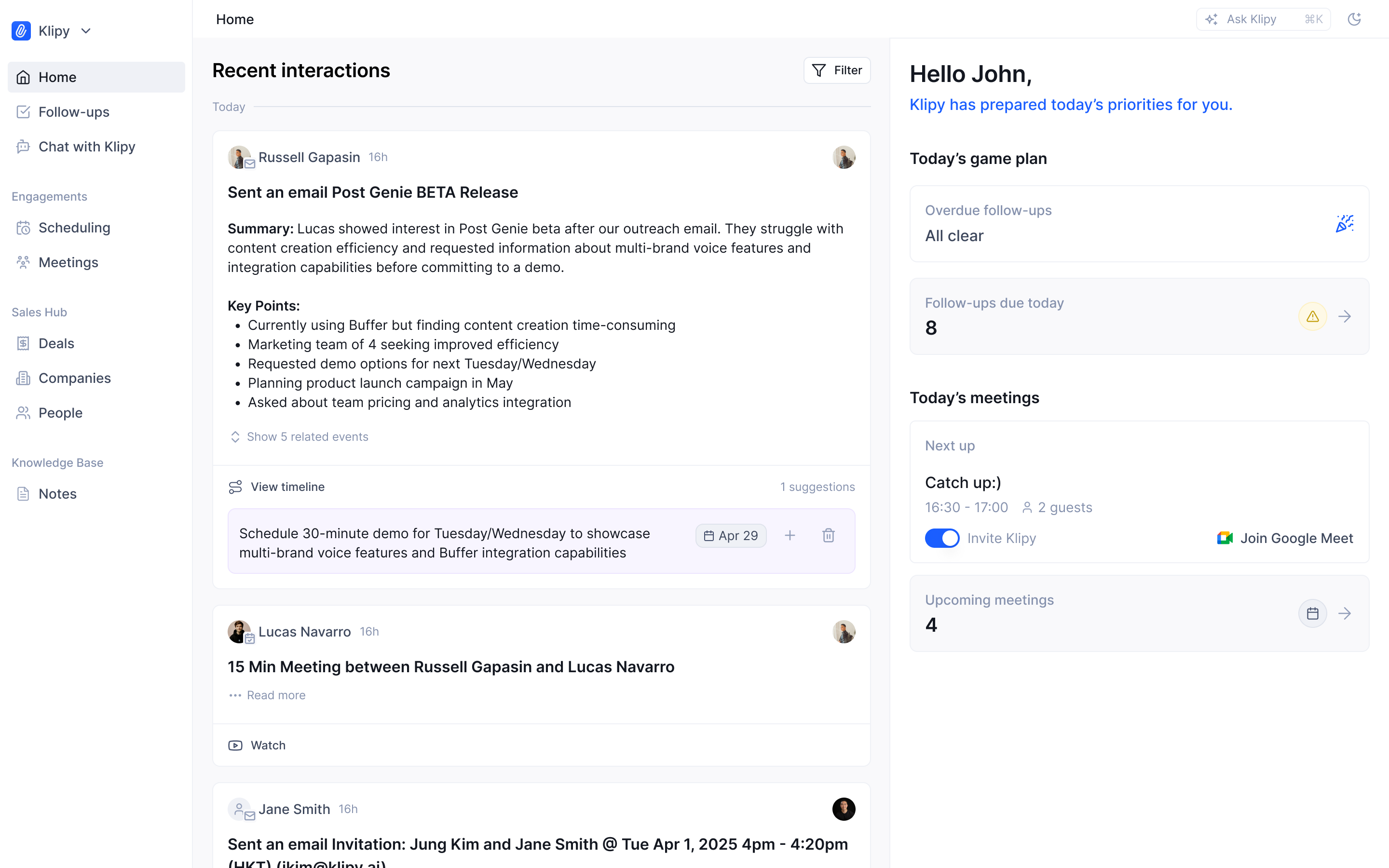
    Enhanced Recent Interactions Panel

    • Toggle between personal and team-wide interactions

    • Expand to view interaction summaries and timelines

    • Manage suggestions directly from the homepage

    • Reply to emails without leaving the page

    9

    Home Page v2

    Revamp of the homepage for easier and better access to interaction histories, due tasks and quick actions to take.

    Jung Kim
    Shipped

    1

  7. Just Launched: Klipy Scheduler GA

    Feature

    image

    We're thrilled to announce the release of Klipy Scheduler GA, now available to all users directly from the side navigation. This major update brings several powerful features to make your meeting scheduling experience even more seamless.

    What's New in GA:

    image

    Automatic Klipy Notetaker:

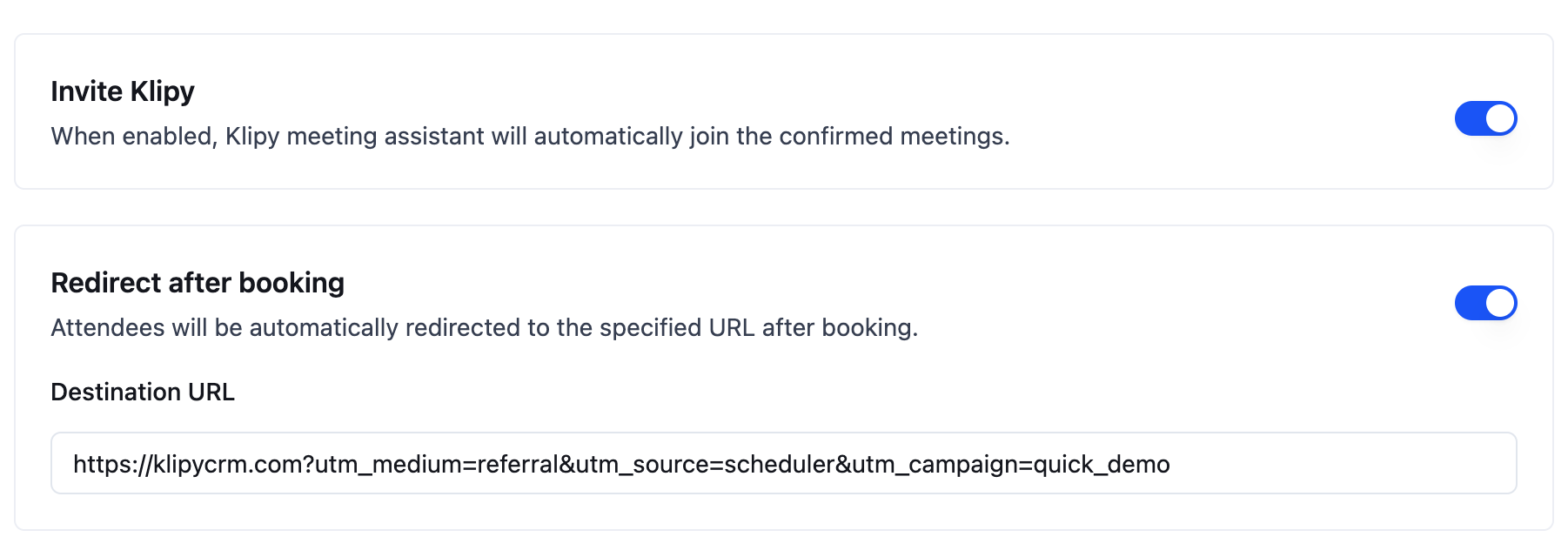
    • Klipy can now automatically join your scheduled meetings, ensuring your AI assistant is ready to help from the start.

    Custom Redirect URLs:

    • After booking, direct your attendees to any page you choose – perfect for sharing pre-meeting materials or simply letting them read more about your business.

    Meeting Reminder Emails:

    Reduce no-shows with timely email notifications:

    1. Booking confirmation
    2. Rescheduling notifications
    3. Cancellation updates
    4. Meeting reminders (1 hour before meeting)

    Automatic Sales Admin:

    • All scheduled/cancelled bookings will be automatically captured as interaction record alongside with all participants created as contact.

    To get started, simply open the side navigation and click on "Scheduler." Begin creating your perfect scheduling workflow today!

    2

  8. Just Launched: Zapier Integration

    Feature

    image

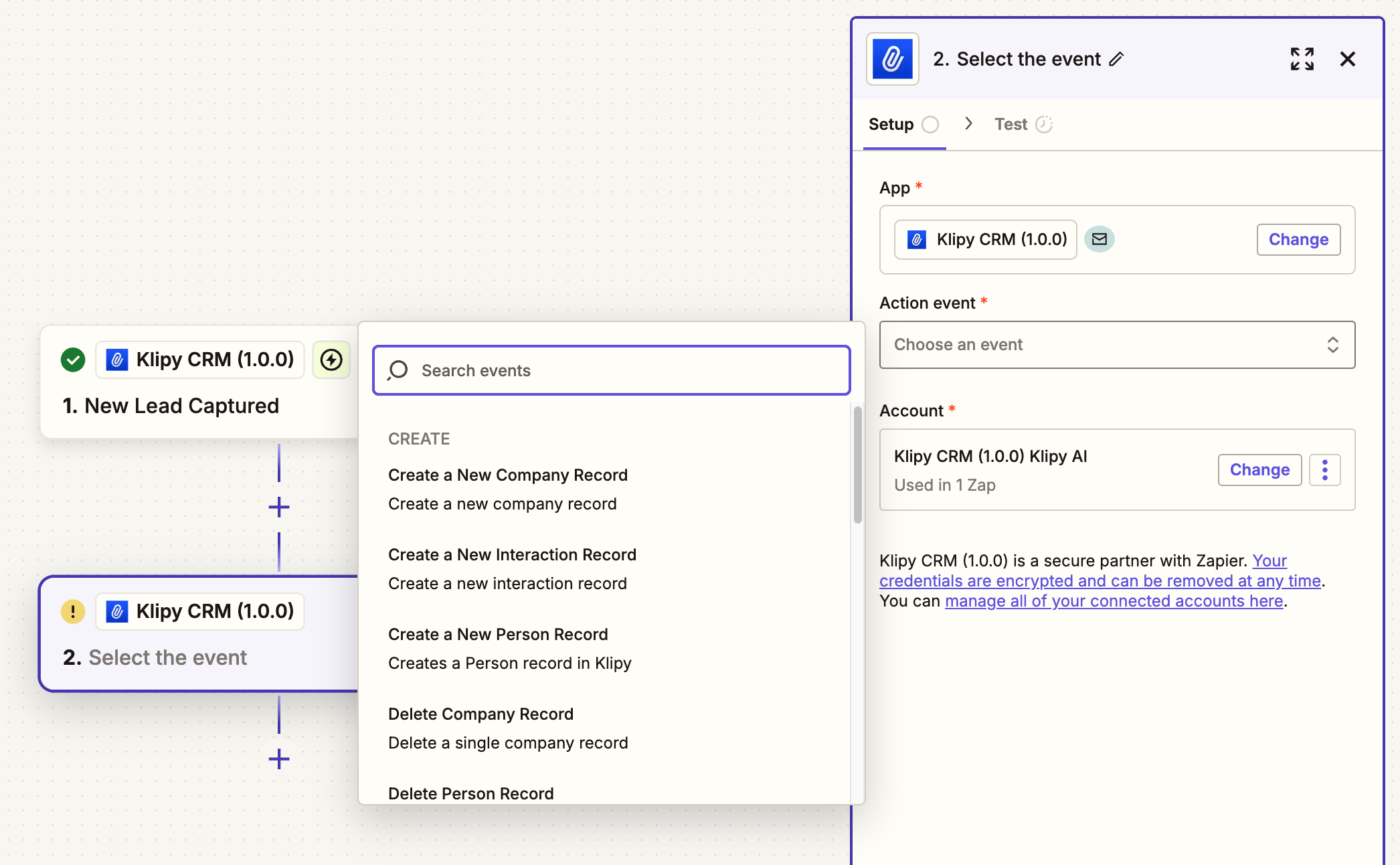
    We're excited to announce that our Zapier integration is now ready for early access! This integration opens up countless automation possibilities, allowing you to connect our platform with over 5,000+ apps in the Zapier ecosystem.

    With this integration, you can:

    • Automate your workflow across multiple applications
    • Create powerful multi-step automations
    • Save time on repetitive tasks
    • Connect with your favorite tools seamlessly

    Ready to streamline your workflow? [Start using our Zapier integration today →]

    23

    Zapier Integration

    Connect Klipy with different tools via Zapier

    Jung Kim
    Shipped

    1

    2

  9. Just Launched: Reply Emails in Klipy

    Feature
    Announcement

    feature_email_inbox

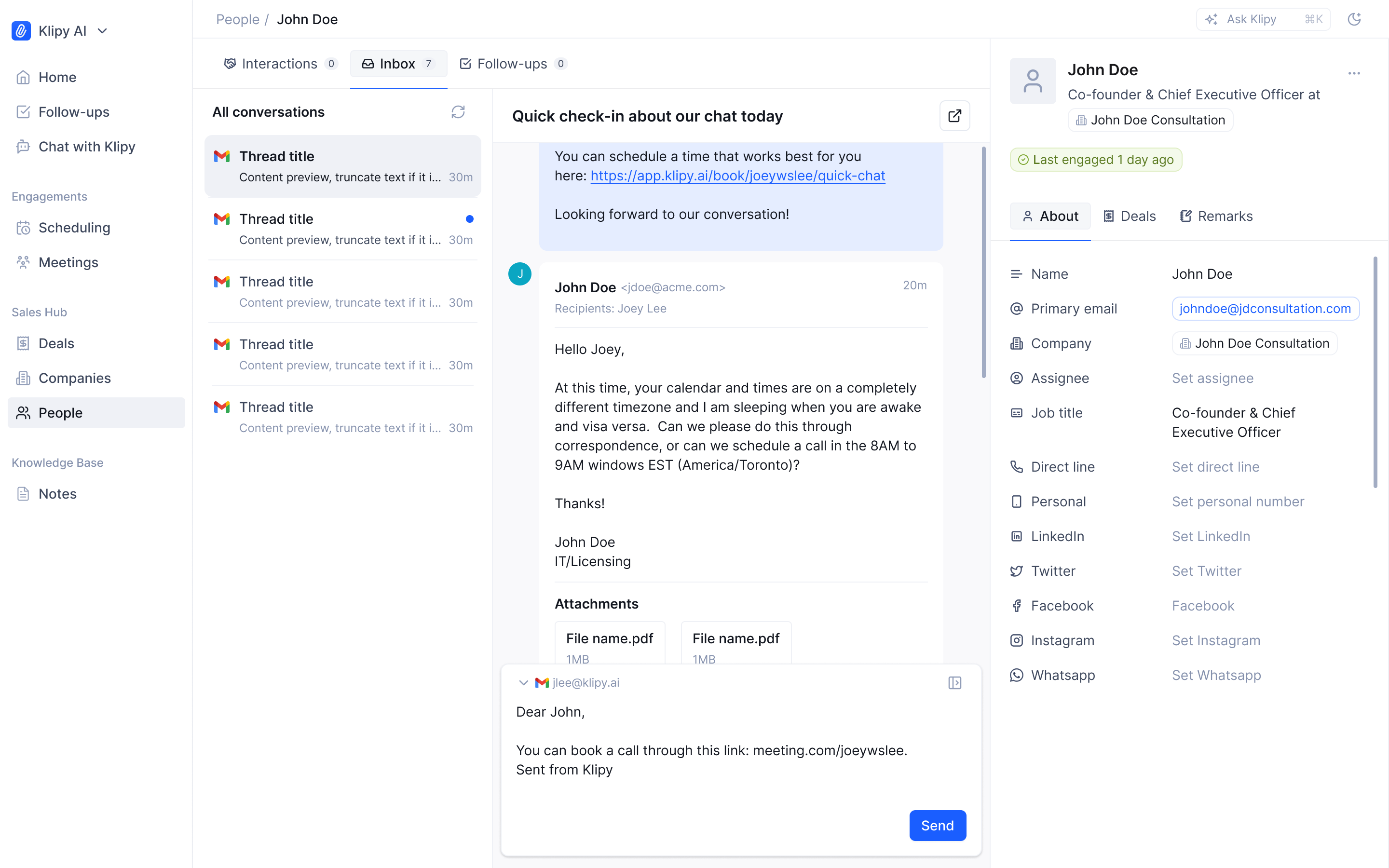
    You can now reply to your customers and prospects via emails directly inside Klipy without switching tabs. The new inbox is available under both Person and Company record page, allowing you to respond on both levels.

    Also, you can personalize your own signature for the emails sent from Klipy. The signature setting can be found here.

    20

    Reply Emails in Klipy

    Respond to customer emails directly within Klipy's interface, maintaining your workflow without switching between different applications. Keep your communication streamlined and your context intact.

    Jung Kim
    Shipped

    6

    4